Watch folder
The cheapest moment to name a file is the moment it lands. A watch folder makes that the default: nymos keeps an eye on one folder and, as each new file arrives, reads it and adds it to the window with a suggested name already in place.
Suggested, not renamed. The review-first principle holds here too. Watched files wait for your approval exactly like a batch you added by hand. A watch folder proposes; it never renames on its own, and it never moves a file.
Point it at an inbox
A watch folder belongs on the place where new files land, not on a finished archive. Good candidates:
- Downloads: invoices, browser exports, images and PDFs that pile up fast.
- A scanner's output folder: so scan codes become readable names on arrival.
- A screenshots folder: turning timestamp names into descriptions of what's in them.
- A synced folder: an iCloud or Dropbox folder that documents drop into.
Set one up
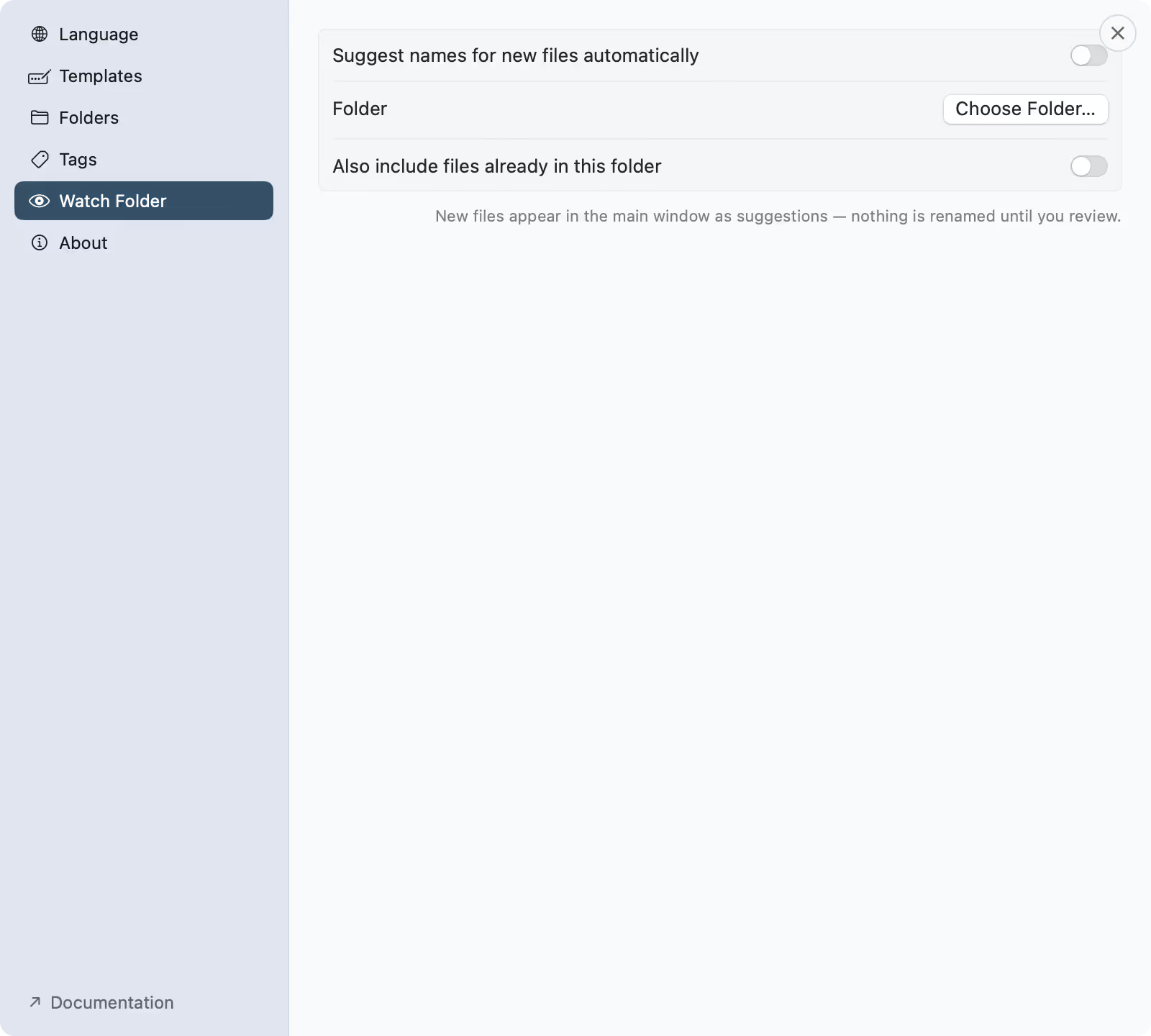
- Open Settings ▸ Watch Folder and turn on Suggest names for new files automatically.
- Under Folder, click Choose Folder and pick the one to watch. Grant access once when macOS asks; nymos remembers it.
- Decide whether to also include the files already in the folder, or start fresh and handle only new arrivals.
- New arrivals now appear in the window with a suggestion, ready for you to review.
- Suggestions for watched files use the template selected in the main window, so pick the shape that fits that folder and every arrival comes out consistent.
The watch strip
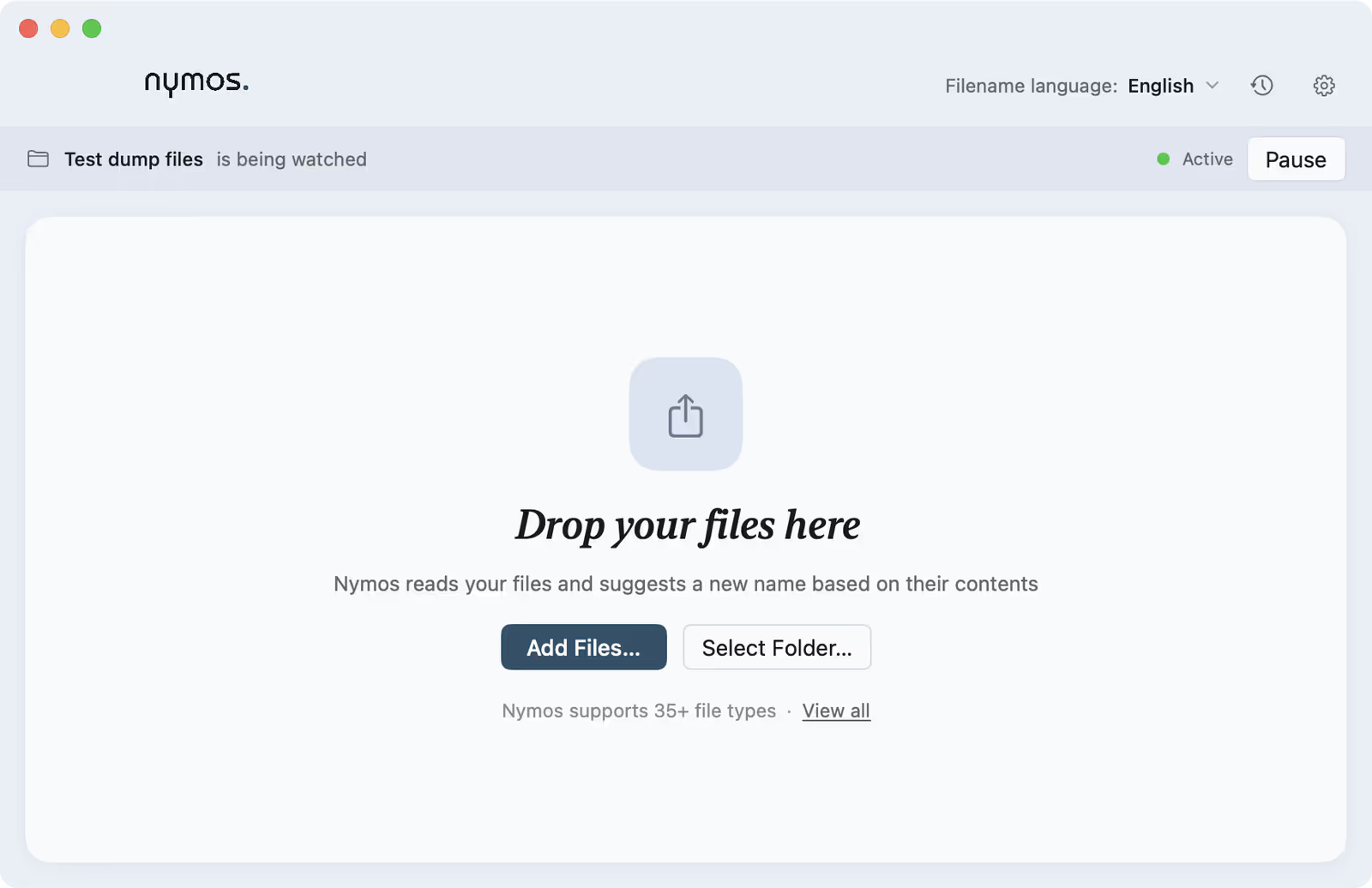
While watching, the main window carries a strip along the top: the folder name, "is being watched", a status dot, and a Pause control. Pause any time and the strip switches to Paused with a Resume button. The setup is kept, so resuming is one click.
Common issues
- New files aren't appearing: check the watch is on and not paused, and that access was granted. If you moved or re-created the folder, add it again.
- Old files were ignored: a watch folder handles new arrivals. Existing files are only included if you asked for that when setting it up.
- It didn't move or sort anything: by design. A watch folder names files; it does not move, tag-file into subfolders, or organise them.
Set it in Settings
Everything lives in Settings ▸ Watch Folder: the automatic-suggestions switch, the folder to watch, and whether to include files already there.
A strip shows it's watching
While a watch folder is active, a strip across the top of the main window names the folder and shows an Active status with a Pause control. New files land here already carrying a suggested name, waiting for your review.