
Supported file formats
57 formats, five kinds
nymos names by content, so what matters is what it can read inside a file, not just the extension. Documents, text and data, and images are read for what is in them, and can be mixed freely in one batch. Video and audio are named from the details the file carries about itself.
Documents
12 formats
Read for their full text, tables and all. Scans fall back to OCR.
- .docx Word
- .xlsx Excel
- .pptx PowerPoint
- .pages Pages
- .numbers Numbers
- .key Keynote
- .odt OpenDocument
- .ods OpenDocument
- .odp OpenDocument
- .ai Illustrator
- .rtf
Text & data
15 formats
Structured and plain text: the content and its shape are read directly.
- .txt
- .md
- .csv
- .tsv
- .json
- .xml
- .yaml
- .yml
- .html
- .htm
- .log
- .svg
- .srt subtitles
- .vtt subtitles
- .eml saved email
Images
17 formats
Analysed for what's in them; any text in the picture is read too.
- .jpg
- .jpeg
- .jpe
- .png
- .webp
- .gif
- .heic iPhone
- .heif
- .heics
- .tiff
- .tif
- .bmp
- .avif
- .tga
- .exr
- .ico favicons
- .icns Mac icons
Video
6 formats
Named from the details the file carries, plus a single frame where macOS can decode it.
- .mov
- .mp4
- .m4v
- .avi
- .mkv
- .webm
Audio
7 formats
Named from the tags and file facts. The audio itself is never transcribed.
- .mp3
- .m4a
- .aac
- .alac
- .flac
- .wav
- .ogg
57 formats in all. A file with no readable content, an empty scan or a blank export, is left untouched rather than given an invented name.
The same list, in the app
Settings ▸ About ▸ Supported formats shows exactly what the copy you have installed can read, which is the version that counts.
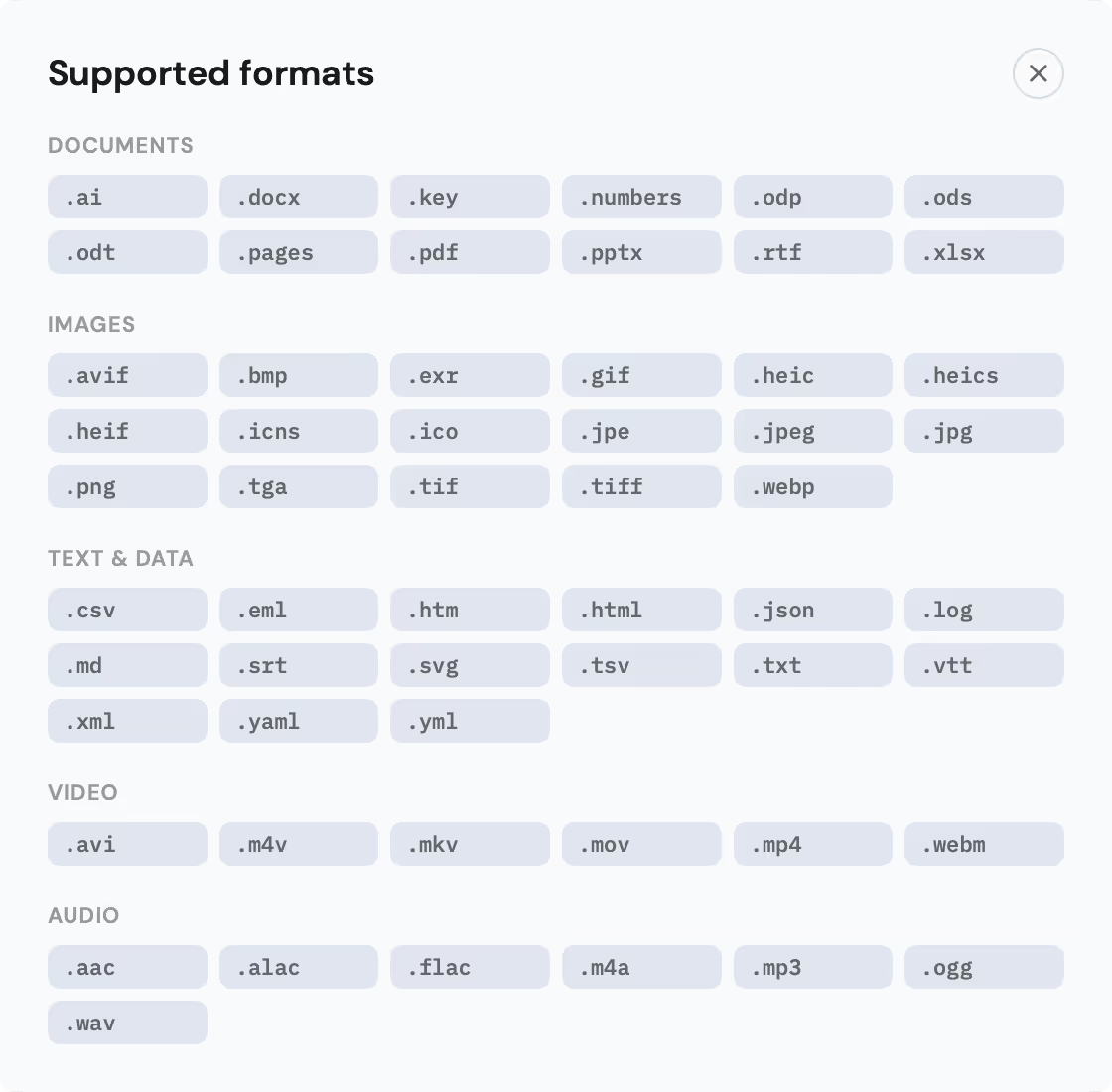
How each group is read
The groups reach the model in different shapes, and all of the preparation happens on your Mac before anything is sent.
- Documents: PDF, Word, Excel and PowerPoint are read for their full text, tables and slides included. OpenDocument files (.odt, .ods, .odp) are read the same way, and Illustrator and RTF files come in as text too. A PDF that is really a scan, with no text layer, is read with on-device OCR instead.
- Pages, Numbers and Keynote: Apple's formats have no public text API, so nymos reads the preview every iWork document carries inside it. Usually that preview has a text layer and the file arrives as text like any other document; when it doesn't, the first page is sent as a picture instead.
- Text & data: plain and structured text is read directly, from a Markdown note to a JSON export to an .eml you saved from Mail. Subtitle files (.srt, .vtt) name from what is said in them.
- Images: a photo or screenshot is analysed for its content, and any text in the picture is read too. Where a photo carries capture details, the date taken and the camera feed the name.
- Video and audio: these are named from what the file says about itself: embedded tags such as title, artist and album where they exist, and always the file-level facts (dates, size, kind). Video that macOS can decode also contributes one frame, taken a moment in rather than from the often-black opening, so the name can reflect what is actually on screen. Nothing is transcribed and no footage is watched end to end.
Which provider reads what
On a nymos subscription every format above just works and there is nothing to pick. This section is for running nymos on your own AI provider account, where the model you connect decides what it can handle. Because every file is prepared on your Mac first, that turns out to be an almost binary question.
Every provider
40 of 57 formats
- Documents 12
- Text & data 15
- Audio 7
- Video 6
Extracted on your Mac, including OCR for scans, and sent as plain text. The model never has to understand the original file format, so every provider in the list below handles all of these.
Only models that read images
17 of 57 formats
- Images 17
A photo or a scan has to arrive as a picture, and so does the single frame nymos takes from a video, or an iWork file whose built-in preview has no text layer. A model that can't see gets none of them.
Which providers read images
- every model reads images
- one model does, the other doesn't
- images are skipped
- Anthropic both models
- OpenAI both models
- Gemini both models
- Grok grok-4 only
- Qwen qwen-vl-max only
- GLM glm-4.5v only
- DeepSeek neither model
- Kimi no
- OpenRouter treated as no
- Custom endpoint treated as no
Images are never guessed at. When the model you connected can't read them, nymos counts them before the batch starts, asks whether to go ahead without them, and labels the skipped rows afterwards. Setup and model choice are covered on Use your own AI provider.
Common issues
- "No text found": the file has no readable content. For a scan, OCR usually steps in; if even OCR finds nothing, the page is likely blank.
- A video or song got a thin name: some containers (.mkv, .webm, .avi, .ogg) carry no tags macOS can read, so only the file-level facts are left to name from. Files written by Apple apps are usually much richer.
- Images were skipped in a batch: on your own provider account, the model you selected is text-only. nymos says so before the batch runs rather than inventing names. Pick a model that reads images.