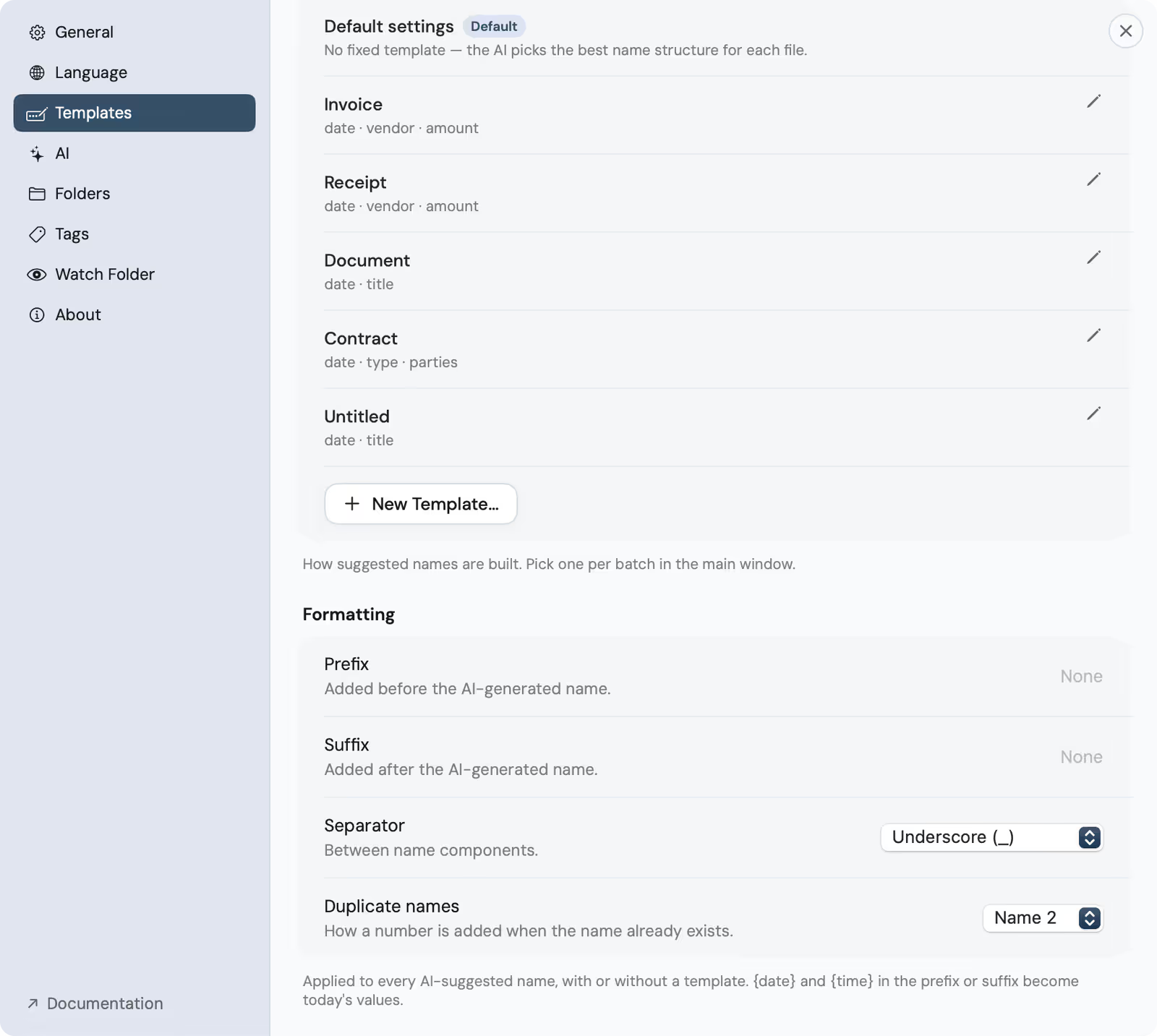
Templates
A template decides the shape of a filename: which fields appear, and in which order. Reading the document and shaping the name are two different jobs. The model handles the first; the template handles the second, so every file of the same kind comes out consistent.
The default: let the model decide
The default setting is not a template at all: it reads each document and picks the shape that fits it. A letter, an invoice and a photo each get a sensible name without you choosing a structure. Reach for it on a mixed folder, where imposing one shape would be wrong.
Built-in templates
Four templates ship with the app, localized to your app language, for the documents most people deal with most often.
- Invoice: date, party and amount, for anything you paid or were billed.
- Receipt: the shorter cousin, for expenses and till receipts.
- Document: a general shape for letters, reports and correspondence.
- Contract: for agreements, with the parties and the date up front.
Build your own
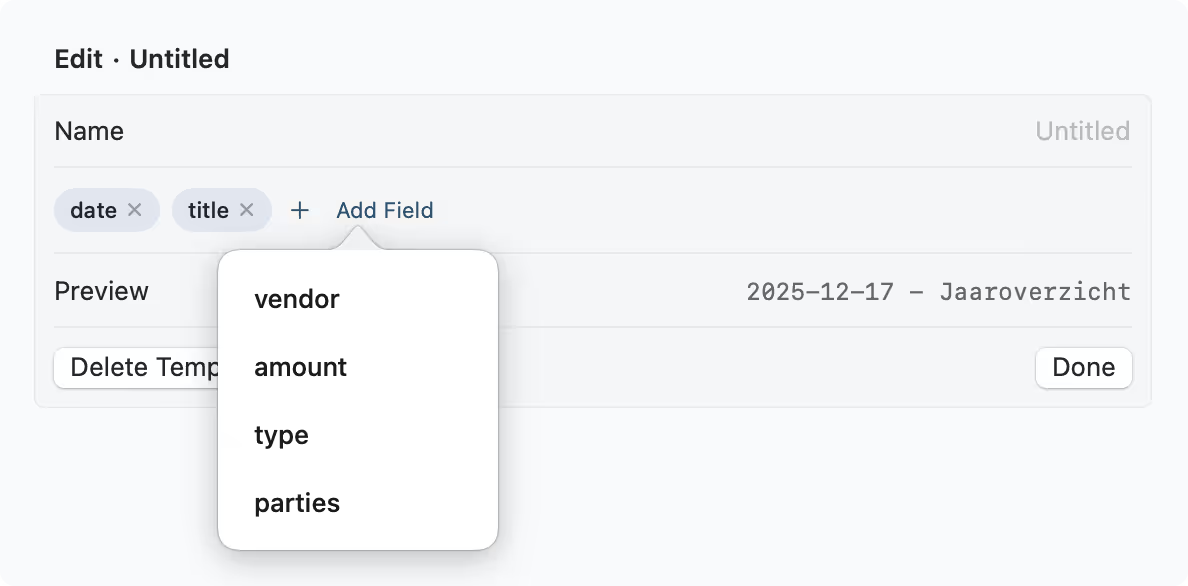
A template is made from fields. In Settings, you assemble the shape and watch it update live.
- Keep them specific and short. Most good names are three or four fields: enough to tell files apart, not so many that the end of the name is cut off in a column view.
- Edits apply the next time you suggest names, so you can refine a template and re-run.
- Open Settings ▸ Templates. and create a new template.
- Add fields as chips. the date, the party, an amount, whatever the name should carry.
- Drag them into order. the live preview shows the filename as you arrange it.
- Save. your template now appears in the picker beside the built-ins.
One template per batch
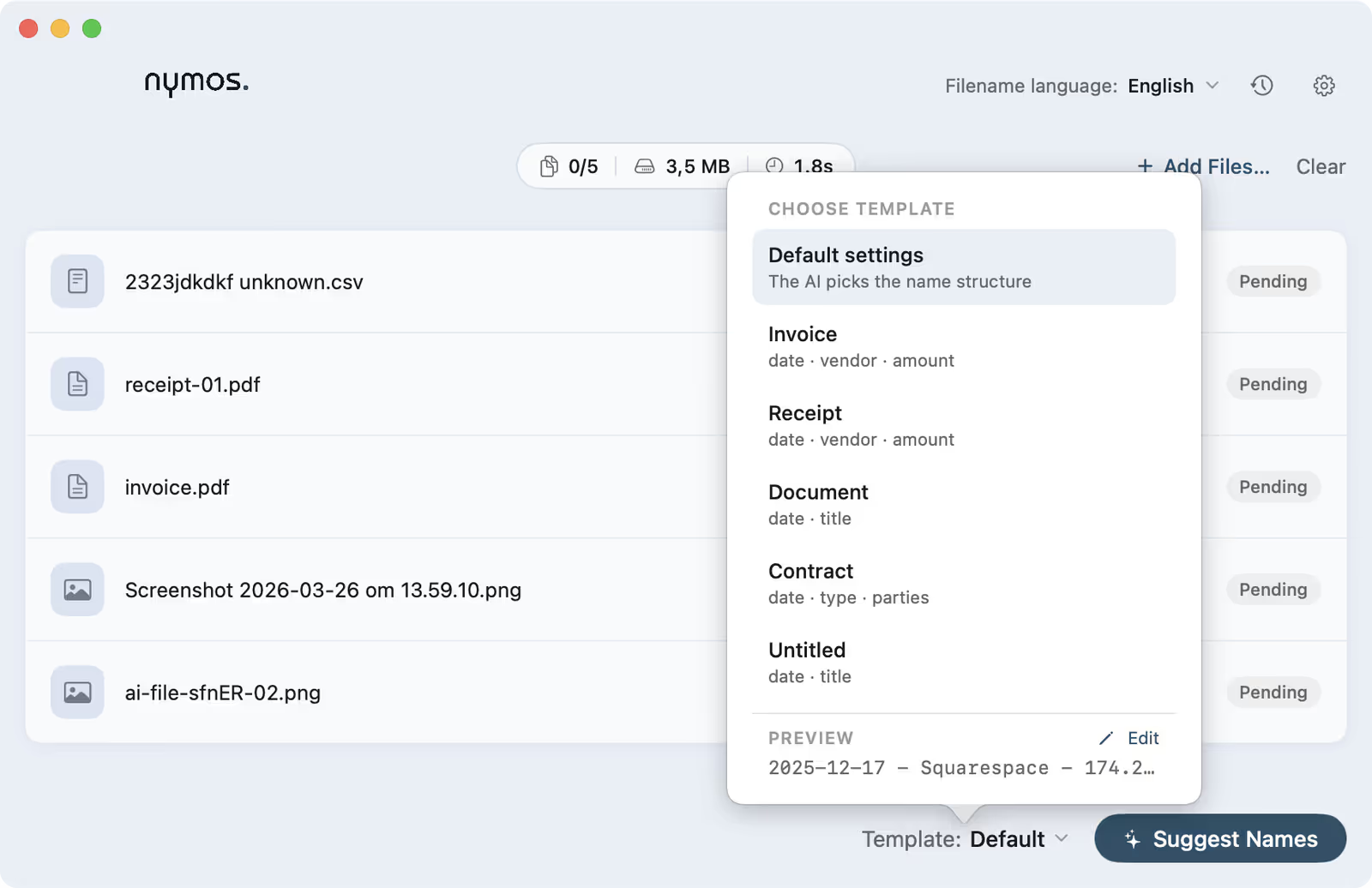
You pick a template per batch, not per file, which is the other reason to sort a messy folder by kind first: invoices in one pass, photos in the next, each with the shape that suits it. Watched files follow the same choice: whatever template is selected in the main window shapes their suggestions too.
Four templates built in
Settings ▸ Templates ships Invoice, Receipt, Document and Contract, above a Default setting that fixes no shape at all and lets the model pick per file. Use one as it is, tweak it, or start your own from scratch.
The template editor
Add fields, drag to reorder, watch the preview. The pencil in the picker jumps straight here.
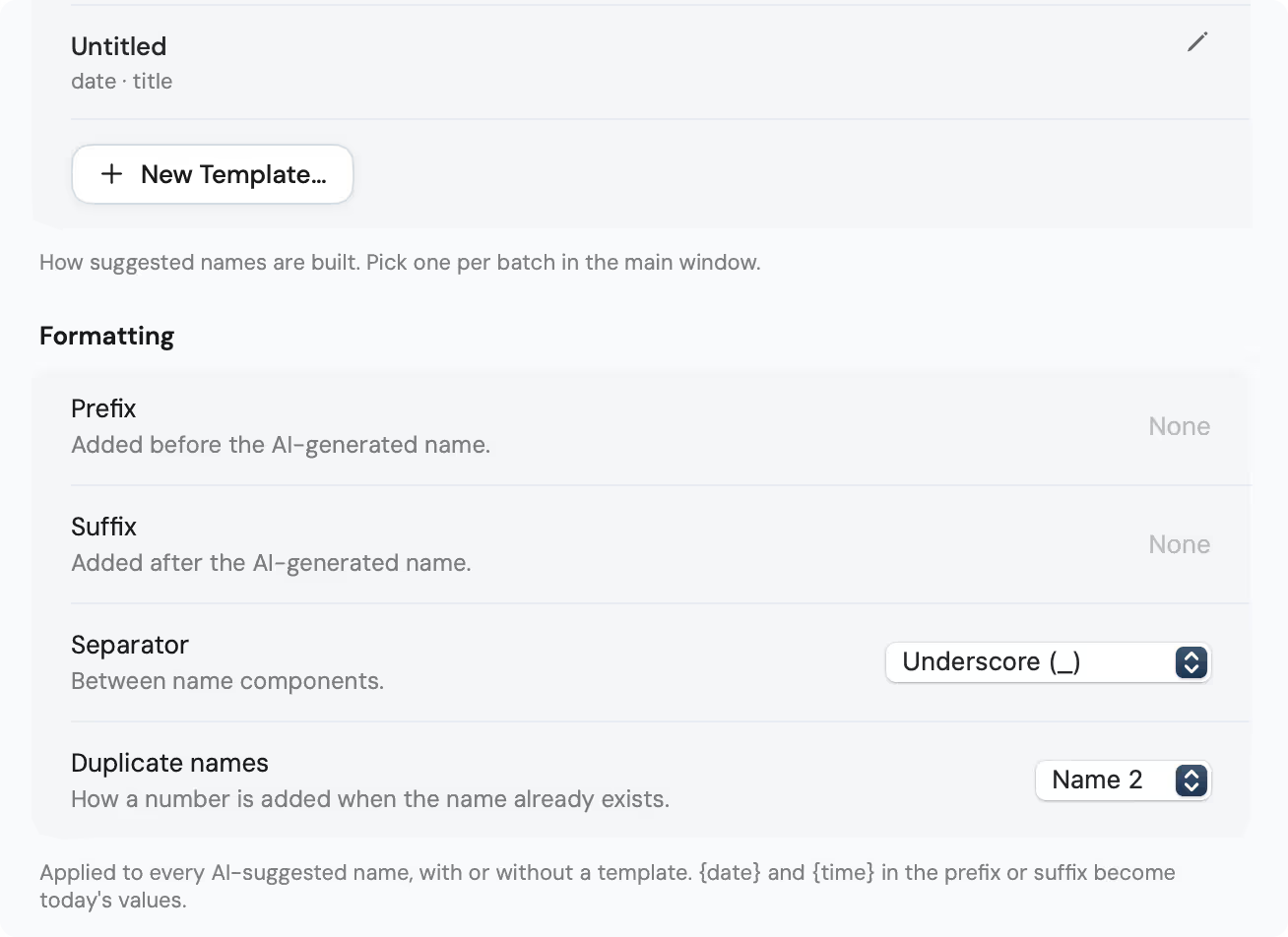
Formatting
Below the templates sit the rules that apply to every suggested name, template or not: a prefix and a suffix (where {date} and {time} become today's values), the separator between name components, and how a number is added when the name already exists.
Switch per batch in the main window
The Template control at the bottom of the main window picks which shape a batch takes; the pencil next to it opens the editor.